
Telegram
Telegram FZ-LLCCommunication
3.8186.43K Reviews
- Version
- Varies With Device
- Installs
- 1.00B
- Age Rating
- Mature 17+
Screenshots
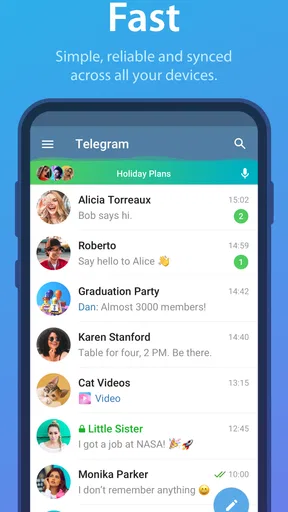

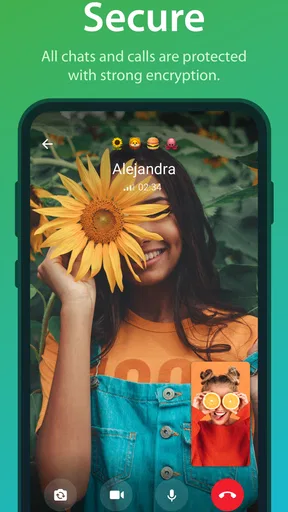
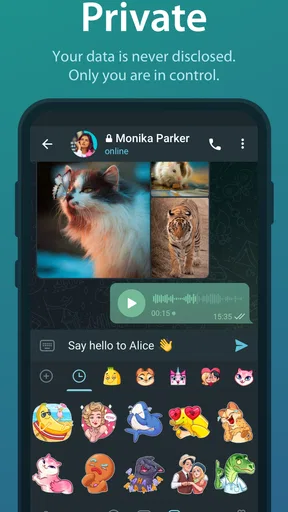
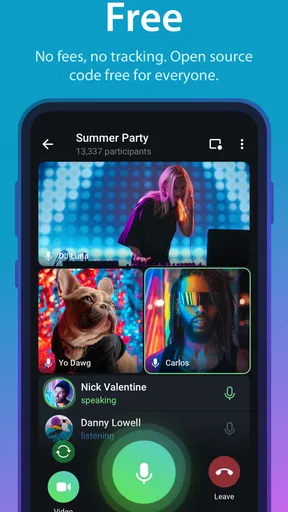

Our Review of Telegram
 Analysis by Appyee
I choose a messaging app less by its feature list than by the way I actually use it: whether the people I need are there, whether I can keep conversations organized, and whether its privacy settings match the conversation. Telegram is a free communication app from Telegram FZ-LLC, and its mix of one-to-one chats, large groups, channels, and cloud access makes it more flexible than a basic messenger. That flexibility is a real strength, but it also means you should decide what you want from it before moving every conversation over.
It has been around since September 6, 2013, and the current version is 12.7.3. Its average rating is 3.9 from around 17 million ratings, with about 183,000 written reviews and over one billion installs. Those figures suggest that it is widely used, not that it will automatically suit every friend group or workplace. The app is free to install, though in-app purchases are available, with listed items ranging from around $0.31 to $289.99. It carries a Mature 17+ age rating, so it is not the right choice for a child’s messaging account.
Start with the people and the purpose
Before making Telegram your main messenger, I’d ask two practical questions: are the people I regularly contact willing to use it, and do I want a simple private chat tool or a place to follow public communities as well? If your friends, family, or team already use it, the app can bring everyday conversations and larger interest-based spaces together. If everyone you need is committed to a different service, Telegram’s broad feature set won’t solve the basic problem of reaching them.
I also wouldn’t treat every Telegram conversation as having the same privacy properties. The original article describes Secret Chats as end-to-end encrypted and notes that they can be set to self-destruct. That makes them a distinct option when you want those protections, rather than a reason to assume every chat works that way. I’d take a moment to choose the right conversation type for sensitive exchanges and set up two-step verification instead of relying on the app’s general security reputation alone.
Getting to Know Telegram
Telegram first caught my attention with its sleek design and promise of privacy. It’s available on both Android and iOS, and the installation was smooth sailing. Once you’ve signed up, the app greets you with a clean, intuitive interface that doesn’t feel cluttered, unlike some others I’ve tried. It’s all about functionality without the fluff, which I personally love.
That first impression is only part of the decision. Telegram works best for me when I treat it as a few tools in one place rather than as a replacement for every social or work app. I use a direct chat for a quick personal exchange, a group when several people need to coordinate, and a channel when the goal is to receive updates rather than have everyone reply. Separating those purposes early helps keep a busy chat list from becoming a jumble.
The Features that Stand Out
Now, you might be wondering what sets Telegram apart from the messaging app crowd. Here’s the scoop:
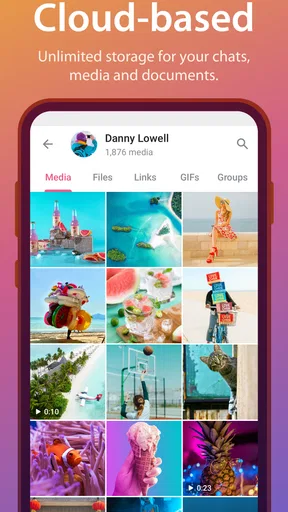
- Cloud-Based Messaging: This means you can access your chats from any device, anywhere. Forget the hassle of switching phones and losing your chat history.
- Secret Chats: If privacy is your top priority, Telegram has you covered with end-to-end encryption. These chats can even self-destruct after a set time, which is just plain cool.
- Large File Sharing: Ever tried sending a large video or a bunch of photos and hit a snag? Not with Telegram. You can send files up to 2GB, which is a lifesaver.
- Groups and Channels: Whether you’re planning an event or just want to stay in the loop with your interests, Telegram’s groups can host up to 200,000 members. Channels let you broadcast messages to unlimited audiences, making it great for businesses or community updates.
The distinction between groups and channels is more useful than it may sound. For a birthday weekend, I’d use a group so the people involved can discuss plans and make decisions together. For a neighborhood association sharing meeting reminders, a channel makes more sense because most readers need the announcement, not a long conversation beneath it. Picking the right format at the start can prevent important information from being buried in replies.
Cloud access also changes how I think about saving useful messages. Rather than forwarding every file to myself, I can use a personal conversation as a place to keep links, notes, or documents I want to find on another device. The trade-off is that a chat history can become a filing cabinet without labels. I recommend using clear chat names and search terms you’ll remember, especially if you expect to return to a document weeks later.
Staying Secure
One of the biggest selling points for me is Telegram’s commitment to security. In a world where privacy breaches seem all too common, Telegram’s use of advanced encryption and their transparency in how they handle data is reassuring. They even have a bug bounty program, offering cash rewards for anyone who can find vulnerabilities.
Plus, you can set up two-step verification for an extra layer of protection. It’s clear that security isn’t just an afterthought for Telegram, it’s a priority.
My practical advice is to make security a small setup task, not something to revisit only after a scare. Add two-step verification, make sure you understand which chat type you’re using, and be selective about what you share in groups or with bots. A bot can be convenient for a narrow task, but I wouldn’t hand sensitive information to one simply because it appears inside a familiar messaging app. The useful rule is to judge the recipient and the conversation, not just the app.
Customization and Bots
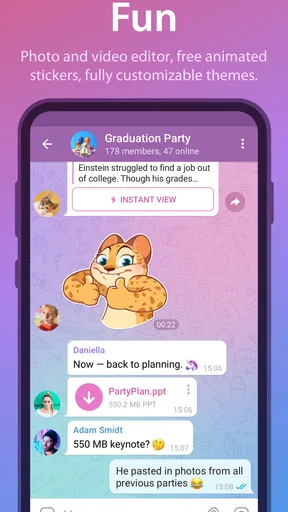
If you’re the kind of person who loves personalizing your apps, Telegram has plenty of options. You can tweak themes, use custom stickers, and even create your own. The app also supports bots, which can do everything from organizing your to-do list to playing games. It’s like having a personal assistant right within your chat app.
The bot ecosystem is vast and growing, and it’s a testament to how versatile Telegram can be. Developers have embraced this feature, creating bots for every need imaginable.
I’d approach bots as optional utilities, not as a reason everyone should move to Telegram. A lightweight reminder or a game can be handy when a group already shares the app, but adding a bot to every workflow can make a chat feel noisy and harder to manage. I’d try one for a specific task, see whether it genuinely saves effort, and remove it from the routine if it creates more messages than value.
Where another messenger may fit better
Compared with familiar one-to-one messengers, Telegram’s clearest difference is how comfortably it accommodates large communities and broadcast-style updates alongside personal chats. If you mostly send quick messages to a fixed circle, the app your contacts already open may be the more convenient choice, even if it offers fewer ways to organize public discussion. A messenger is only useful when the other person is reachable there, so I wouldn’t switch on features alone.
For work, I’d compare Telegram with a dedicated team communication tool rather than assuming a general messenger is a complete workplace system. Telegram can suit a small group that needs fast coordination and file sharing, but teams that depend on formal project tracking, structured approvals, or a shared work archive may prefer software built around those processes. Likewise, people looking for a social feed centered on personal profiles may find a messaging-first layout less natural than a social network.
There’s also a meaningful choice between convenience and a deliberate privacy setup. Cloud-based access is handy when you move between devices, while the Secret Chat option is a separate route for conversations where its end-to-end encryption and self-destruct controls matter. I’d avoid choosing based on a blanket claim that one app is always “more secure”; the better fit depends on the kind of conversation and the protections you intend to use.
Is It All Sunshine and Rainbows?
As much as I’m a fan, it’s fair to say no app is perfect. While Telegram shines in many areas, there are a few quirks. For instance, while they have a massive user base, it may not be as pervasive as some other apps, meaning not all your contacts might be on there yet.
Additionally, the sheer number of features can be a bit overwhelming at first. But once you get the hang of it, it’s a piece of cake.
That learning curve is most noticeable when a group chat starts to attract side conversations, forwarded updates, files, and bot activity all at once. I’d mute or leave spaces that are not useful, and keep high-priority conversations easy to spot rather than joining every channel a friend recommends. Telegram gives you room to participate in many kinds of communities; it doesn’t decide which ones deserve your attention.
Switching also has a social cost. You can install the app and explore it without asking everyone to abandon their usual messenger, but a full move means persuading the people you talk to most often and establishing a new habit. I’d begin with one practical group—perhaps an event plan or a hobby community—then decide whether it earns a permanent place in your daily routine. Keeping two apps for a while is less tidy, but it avoids losing contact with people who aren’t ready to change.
If you’re wondering whether you need a paid purchase to start, Telegram is free to download and use, with optional in-app purchases listed in the store. I’d begin with the free app and only consider a purchase if a particular option matters to you; the existence of paid items alone doesn’t make them essential to ordinary messaging. That low-commitment trial is useful, but it doesn’t remove the need to check that your contacts will actually join you there.
Who I’d recommend it to
I’d recommend Telegram to someone who regularly moves between devices, shares sizable files, or wants to participate in both private group planning and large interest communities. It’s especially appealing if you like being able to shape the app with themes, stickers, and selected bots. People who run a club, coordinate a volunteer group, or follow frequent community announcements can get more out of its range than someone who only exchanges the occasional text.
For example, imagine I’m organizing a weekend hike. I can use a group to settle the meeting point, share a route document, and let people ask questions in one place. If the group also follows a local outdoor channel for broader notices, the planning conversation and general updates don’t have to serve the same purpose. That is the sort of everyday organization where Telegram feels more capable than a basic chat thread.
I’d tell a privacy-focused user to learn the difference between ordinary chats and Secret Chats before relying on the app for a sensitive conversation. And I’d steer a parent looking for a child-friendly messenger elsewhere, given its Mature 17+ age rating. People who dislike managing settings, joining communities, or learning a feature-rich interface may also be happier with a simpler app their contacts already use.
Wrapping It Up
So, is Telegram worth downloading? In my opinion, absolutely. It’s a robust, secure, and feature-rich messaging app that can cater to both casual users and tech enthusiasts alike. Whether you’re chatting with friends, organizing a group, or just want a safe space for your conversations, Telegram has got your back.
If you haven’t tried it yet, give it a shot. It might just become your go-to messaging app. And remember, like any app, the best way to know if it’s right for you is to dive in and explore. Happy chatting!
My recommendation comes with one condition: choose it for the way you communicate, not because a long feature list sounds impressive. If your circle is willing to use it and you’ll benefit from cloud access, file sharing, or community spaces, it’s a strong free option to try. If your priority is simply reaching people who are already settled elsewhere, or keeping your digital life as simple as possible, staying with your current messenger may be the smarter call.
Privacy and Permissions
See what permissions an app requests and how it handles your data.
- Identity
- find accounts on the device, add or remove accounts, read your own contact card
- Contacts
- find accounts on the device, read your contacts, modify your contacts
- Location
- approximate location (network-based), precise location (GPS and network-based)
- Phone
- directly call phone numbers, read call log, read phone status and identity
- Photos/Media/Files
- read the contents of your USB storage, modify or delete the contents of your USB storage
- Storage
- read the contents of your USB storage, modify or delete the contents of your USB storage
- Camera
- take pictures and videos
- Microphone
- record audio
- Wi-Fi connection information
- view Wi-Fi connections
- Device ID & call information
- read phone status and identity
- Other
- view network connections, create accounts and set passwords, pair with Bluetooth devices, full network access, change your audio settings, read sync settings, run at startup, draw over other apps, control vibration, prevent device from sleeping, toggle sync on and off, install shortcuts, uninstall shortcuts, read Google service configuration
How Telegram Compares
Full ComparisonGoogle Messages suits Android-first texting, WhatsApp fits people who want private chats with a broad audience, and Telegram appeals to users who value customization and large file sharing.
| App | Developer | Rating | Price |
|---|---|---|---|
 Google Messages | Google LLC | 4.6 | Free |
 WhatsApp Messenger | WhatsApp LLC | 4.6 | Free |
 TelegramThis App | Telegram FZ-LLC | 3.8 | Free |
Verdict
Strengths of Telegram
- Fast and reliable messaging service.
- End-to-end encryption for privacy.
- Supports large file sharing.
- Customizable chat themes and bots.
- Cross-platform availability.
Limitations of Telegram
- No default end-to-end encryption for all chats.
- Limited video call features.
- Can be resource-heavy on devices.
- Group chats can get overwhelming.
- Some features require tech-savvy users.
Other Releases by Telegram FZ-LLC
View All
Telegram X
Social3.9
Similar Picks in This Category
View All
Google Messages
Google LLC4.6

Gmail
Google LLC4.1

Google Meet
Google LLC4.4

Google Chrome
Google LLC4.1

WhatsApp Messenger
WhatsApp LLC4.6

Carrier Services
Google LLC4.2
You May Also Like
View All
Frequently Asked Questions
What is Telegram, and how does it differ from other messaging apps?
Telegram is a cloud-based messaging app known for its speed and security. Unlike other messaging apps, Telegram offers end-to-end encryption for secret chats, supports large group chats with up to 200,000 members, and allows users to send large files up to 2GB each. It also offers features like channels, bots, and a customizable interface.
Is Telegram secure and private to use?
Telegram offers various security features, including end-to-end encryption for secret chats, ensuring only the communicating users can read the messages. Regular chats are encrypted in the cloud. Telegram also provides two-step verification and self-destructing messages for added privacy. However, it's essential to understand that not all chats are end-to-end encrypted by default.
Can I use Telegram on multiple devices simultaneously?
Yes, Telegram supports multi-device use. You can log in to your account on multiple devices simultaneously, including smartphones, tablets, and computers. Your conversations and media are synced across all devices, thanks to its cloud-based nature, which ensures you can access your messages anytime and anywhere.
What kind of media and files can I share on Telegram?
Telegram allows users to share a wide range of media and files, including photos, videos, documents, and audio files. The app supports file sizes up to 2GB each. You can also send uncompressed media and use Telegram to store your files in the cloud, making it a versatile tool for sharing and managing content.
Are there any costs associated with using Telegram?
Telegram is a free app with no subscription fees or hidden charges. All features, including messaging, file sharing, and cloud storage, are available without cost. The service relies on donations and a sustainable business model to keep the platform running, ensuring users can enjoy its features freely.
